

Device Overview
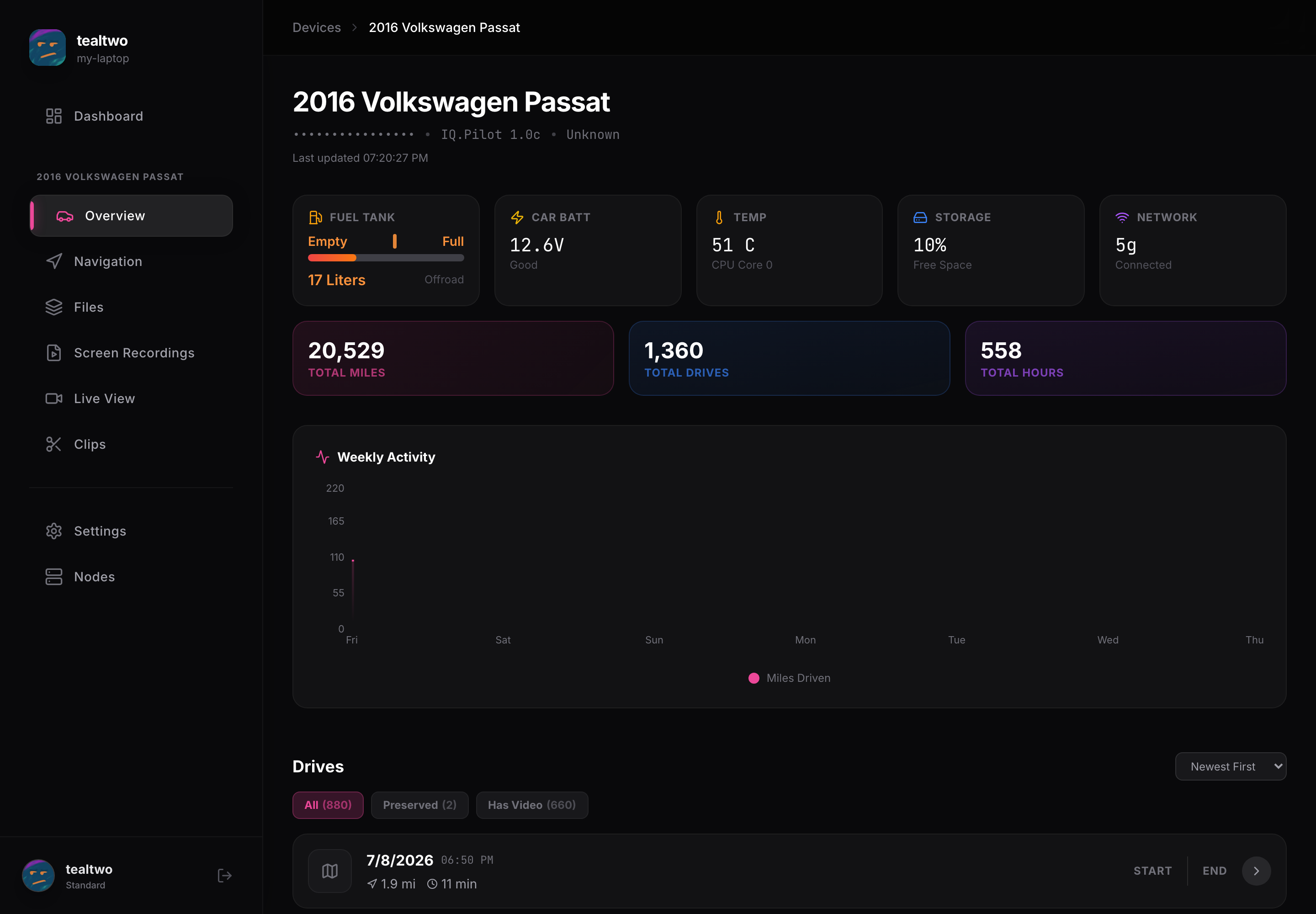
Open a device from the dashboard and you land on its Overview. This is your window into that car: check its live status and see your driving at a glance. The tabs down the left switch between Overview, Navigation, Files, Screen Recordings, Live View, Clips, and Settings.
Live status
Section titled “Live status”The tiles at the top read live off the device: fuel level, car battery voltage, temperature, free storage, and network. Under those, the totals show your lifetime miles, drives, and hours, and the Weekly Activity chart plots your recent mileage.
Drives
Section titled “Drives”Scroll down for the full list of drives, grouped by day. Filters let you show all drives, only preserved ones, or only drives that have video. Click a drive to open it and watch it back. Preserving a drive keeps it from being cleaned up so you always have it.