

Dashboard
The dashboard is the first thing you see. Every device on your account shows up here as a card, with its status at a glance.
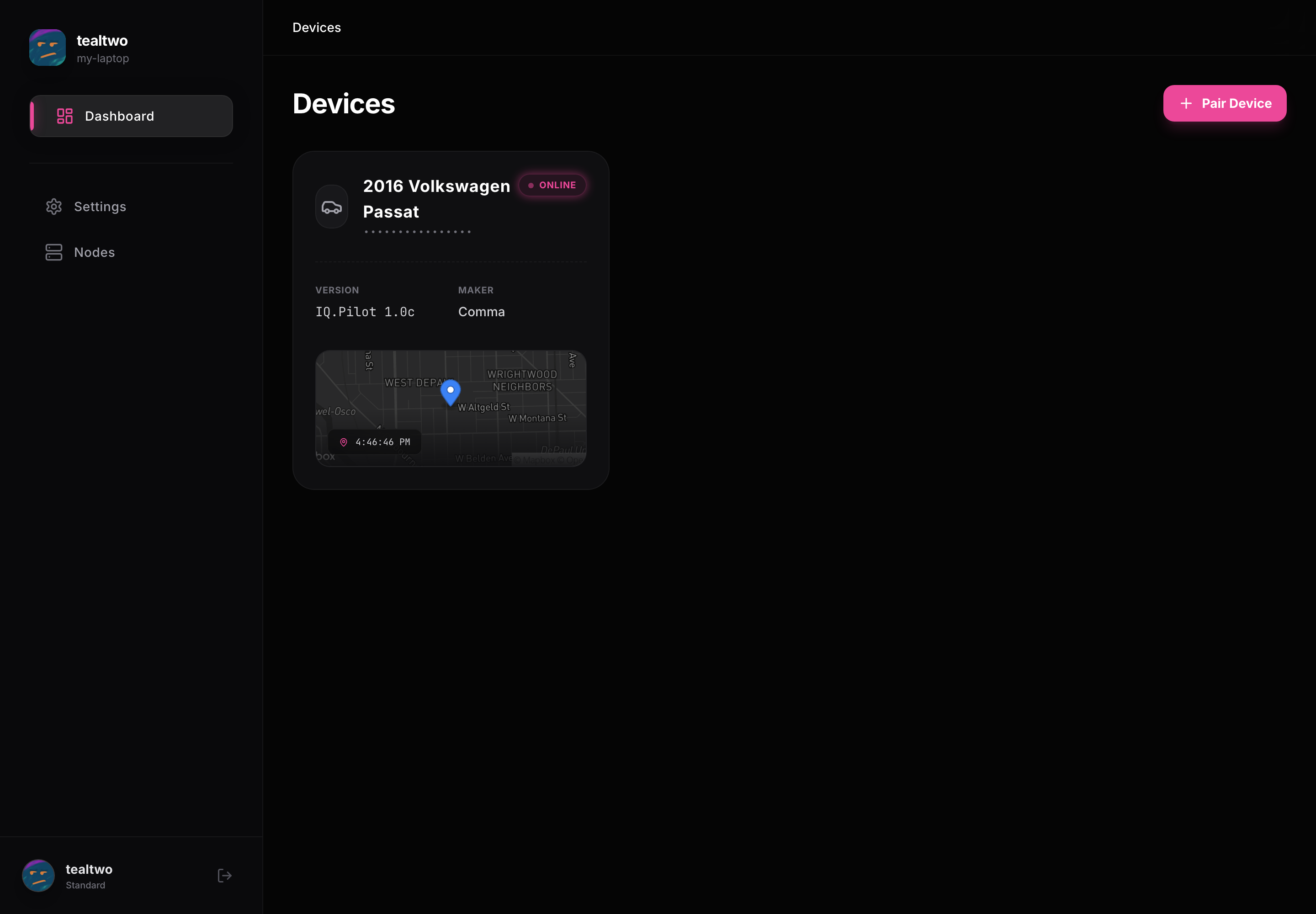
Device cards
Section titled “Device cards”Each card shows the device name, its iQ.Pilot version, and the hardware maker. A pill in the corner shows whether it is Online or Offline. Cars that are driving also show a small live map with the last update time.
Click any card to open that device, where you get its drives, footage, controls, and settings.
Pairing a new device
Section titled “Pairing a new device”The Pair Device button in the top right adds a new device. Scan the QR code shown on the device, or switch to the Register tab and enter it by hand. See Konn3kt overview for the pairing screen.
Getting around
Section titled “Getting around”The left sidebar is always there: Dashboard brings you back here, Settings opens your account and device settings, and Nodes manages self-hosted storage. Your profile and sign-out sit at the bottom.