

Fine Tuning
Open this from Settings → System → Fine Tuning. These are the steering and lane-behavior tuning knobs. They change how the car actually drives, so change one thing at a time and test it somewhere safe.
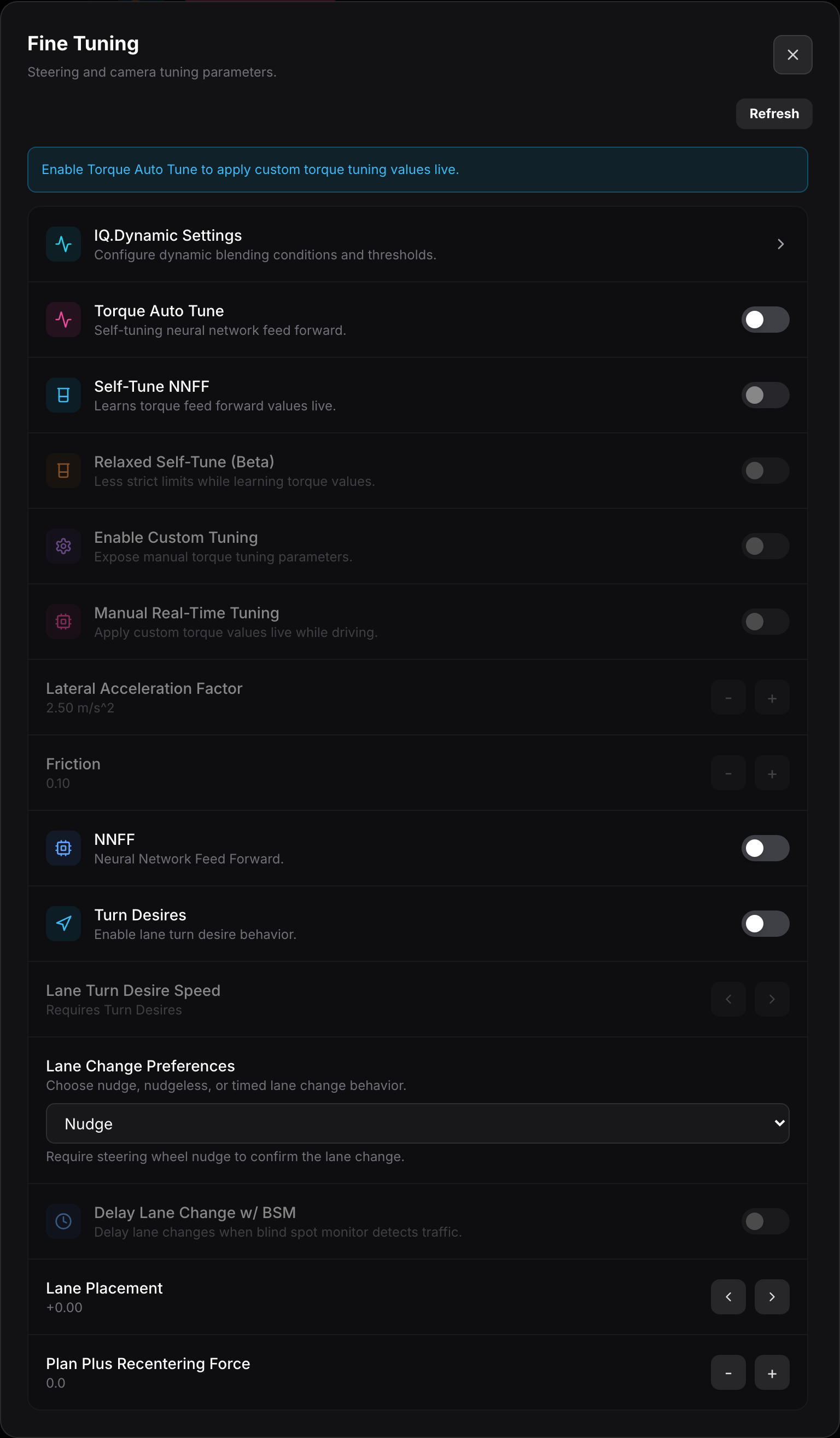
Torque tuning
Section titled “Torque tuning”- IQ.Dynamic Settings opens the dynamic blending conditions and thresholds used by the IQ.Dynamic longitudinal mode.
- Torque Auto Tune turns on the self-tuning neural-network feed forward that learns your car’s steering.
- Self-Tune NNFF learns torque feed-forward values live as you drive.
- Relaxed Self-Tune (Beta) uses looser limits while it learns, which can converge faster but is less strict.
- Enable Custom Tuning exposes the manual torque parameters below so you can set them by hand.
- Manual Real-Time Tuning lets you apply custom torque values live while driving.
Manual parameters
Section titled “Manual parameters”These appear once custom tuning is on.
- Lateral Acceleration Factor scales how hard the car is willing to turn (shown in m/s²).
- Friction compensates for steering friction so small corrections take effect.
- NNFF toggles the neural-network feed forward model.
- Turn Desires enables lane turn-desire behavior.
- Lane Turn Desire Speed sets the speed threshold for turn desires (requires Turn Desires on).
Lane changes
Section titled “Lane changes”- Lane Change Preferences picks how lane changes work: Nudge (nudge the wheel to confirm), nudgeless, or timed.
- Delay Lane Change w/ BSM waits to change lanes when the blind spot monitor sees traffic.
Lane placement
Section titled “Lane placement”- Lane Placement shifts where the car sits within the lane, left or right of center.
- Plan Plus Recentering Force sets how strongly the planner pulls the car back toward its chosen lane position.